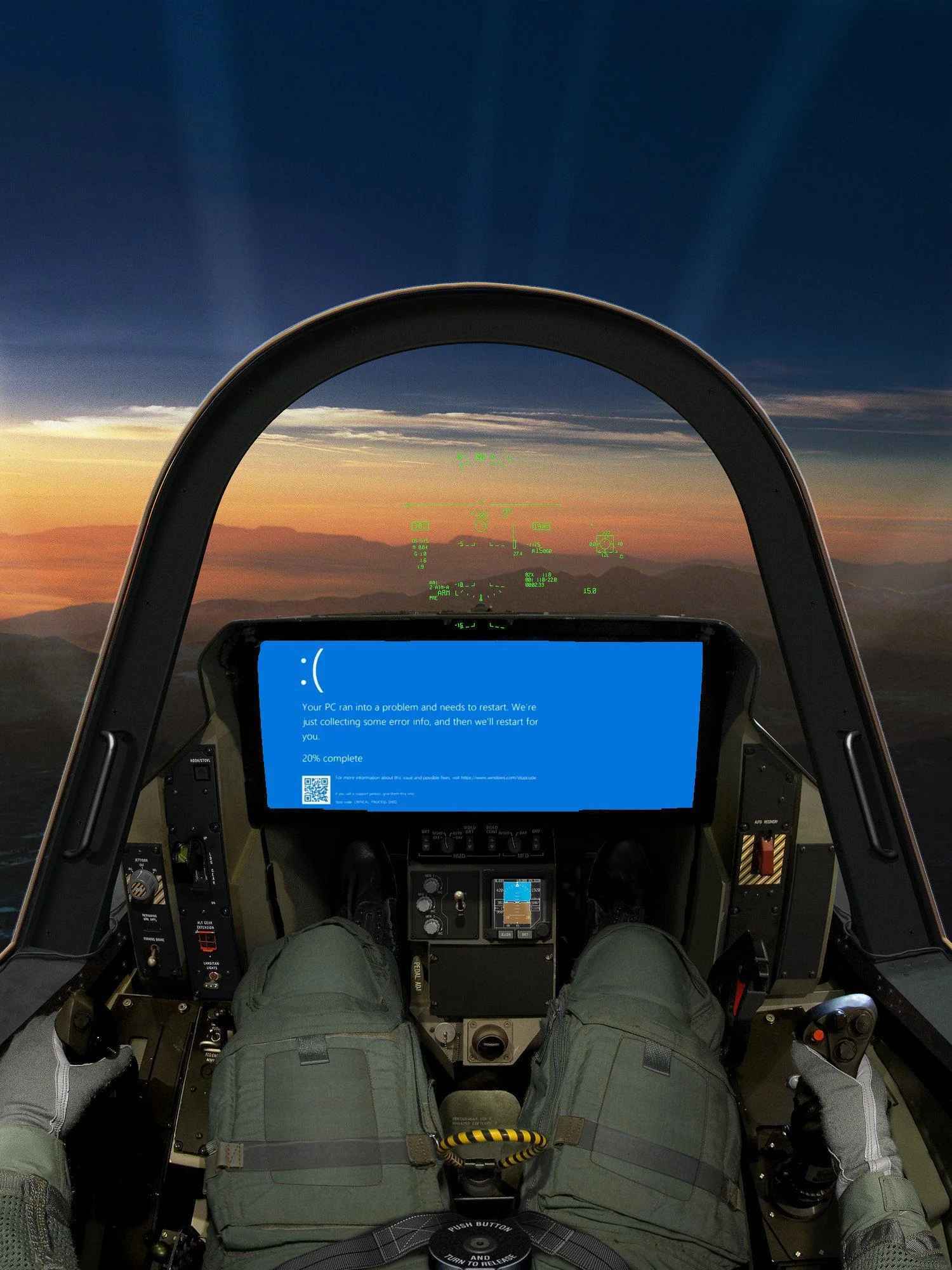
Just install linux bro, it’s not that difficult. You’ll have to compile the F-35 drivers from source, but that’s just the cost of having a reliable system.
Wouldn’t it be handy to have a *Live*USB at hand?
The pilot should check if that yellow striped cable is a lanyard for a USB.
“How to remote into F-35”
I’d recommend using an atomic distro. Then if you get shot to pieces you can roll back to a good state.
It would be nice to have a distro with some basic flight control drivers preconfigured so we didn’t have to build from scratch for every airframe. Maybe wouldn’t get the same performance profile as proprietary drivers but something that could get off the ground. It could even be called AvioNix.
This doesn’t happen “on a distro” because all of the different software functions are at different safety criticalities. The autopilot is (usually) level B, the air data system that delivers altitude and airspeed is level A, the navigation computer is level C (because pilots can still navigate without the aid of the computer). And so on.
At level C, the standard is statement coverage with unit tests. At level B, it’s decision coverage, covering every branch. And at level A, it’s modified condition / decision coverage, which is a lot more complex and expensive to write.
If you mix code for stuff at different levels, you have to develop the whole package to the highest level. Unless you can prove that the lower level code can’t interfere with the higher level code.
The easiest way to prove that is to put the different levels into different computers, so they’re only talking to each other on some digital bus interface. That’s called “hardware partitioning”. There’s also “software partitioning”, but it requires an operating system or supervisor layer to provide the guarantees, and that operating system has to be developed to the highest safety level that it handles.
Final result: you still see a lot of discrete computer boxes on airplanes. Various vendors have developed safety-critical OSes for main avionics computers, but they’re closed-source, and usually not based on Linux at all.
It seems like they’d already be running Linux. I thought the joke of the post is that no aircraft engineers would ever trust those systems with a Microsoft trash OS
They are probably running a custom embedded operating system for small size and real time scheduling. While linux is capable of that now its support and implementation is still iffy.
would ever trust those systems with a Microsoft trash OS
Well NASA apparently does… for some weird reason.
Yeah. 😭
Although I’m doubtful that their flight /navigation computers rely on windows. The issue they had was getting email so it may just be laptops for email and browsing that run that shit
The f35, and most weapons systems, are *nix based, and typically Linux these days.
F-35 runs on INTEGRITY-178B
That’s cool, looks like it was used by Orion too, although the details are sparse
I’d suggest posting on the war thunder forums.
Open one of your Microsoft Outlooks.
No, not that one
No, not that one either.
I know, I’ll try opening this one.
Hold my hat, would you? There’s a good fellow.
Once it’s in safe mode, just remove the en-US pack and install one of the European cultures instead. Gets rid of ads, but you might lose copilot too and I don’t know if that’s a good thing in this situation.
No, you got it completely wrong. The first thing to do is remove the French language pack with
rm -fr /.Por supuesto y con gusto.
Why would you remove the quality of life update?
Don’t worry it’s a single seater, if you’re hearing voices behind you that’s a different kind of problem.
Simultaneously press the “launch sidewinder” button and F9 after turning the plane off and on mid-flight. Try not to aim at a place where people live. Then run “sfcscan /now” and kindly report back to me about the same.
post marked as solved
“I have two copies of War Thunder running, and neither is working”
Have you tried powering it off and on again?
funny enough, i’ve got a guy on speed dial who does (my BIL used to be an F35 wrench)
those helmets are really cool. you can see through the plane when you press the right button.
I’d be so mad if the last thing I saw before plummeting to my fiery death was that stupid smug little sad face and a BSOD
Hang on, I’ve got a Fedora boot stick on me somewhere…
Use the Emergency Override as mentioned in the Lockheed Martin F-35 Lightning II User Manual, should be one in the glovebox under the pistol, or in the F35B under the seat, then aim towards military controlled open test land, turn down the cow pie, hit the engine switch, and eject. If no NATO controlled land is nearby then aim for something really hard or try to coast by until you find some.
The plane is gone but its data will live forever.
Is the middle hoop for holding the fleshlight?
Looks like the ejector switch. Imagine trying to scratch your balls mid-mission and immediately shooting out of the plane pulling break-your-fucking-spine Gs.
Better than ripping your arms off cause they’re sticking out, it’s put there to make you tuck your shoulders in but pilots who’ve ejected do have measurable spinal compression.
Just call customer support. They even supplied you a QR code. What’s your problem?
just wing it
Try Shift + Right Stick…sorry that’s the launch missile button.