

Avatar by eveoart. Artwork - Artist

  • 1 Post
  • 8 Comments
Joined 3 years ago
cake
Cake day: June 9th, 2023

help-circle

  • This is the closest local app I’ve found yet, thank you! The UI is different from what I am used to, but it has support for all tags in both the editor and the browser including support for adding custom tags. I thought dynamic playlists don’t exist and was technically right, because they are accomplished with saved searches. I realised that after checking docs. Thanks for the recommendation!
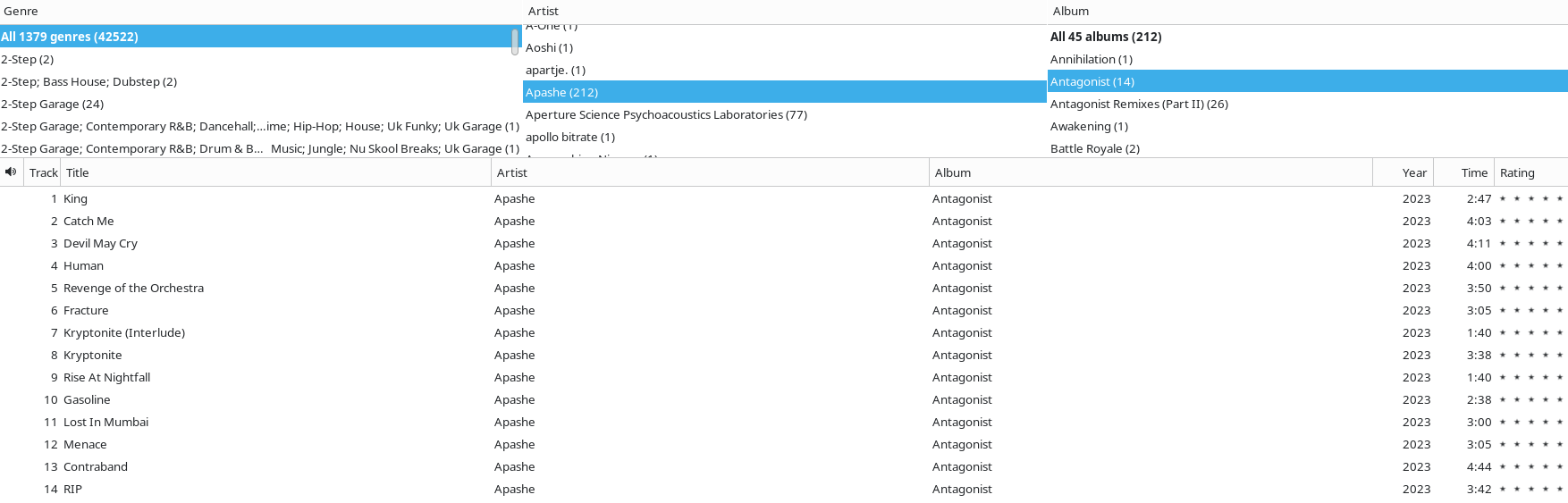


  • It’s the closest we’ve got, but it does not have multiple tag support that I can see. :( I am not surprised that it lacks multi-artist, that is niche, but even the genre only supports basic strings. So to create an auto playlist that only matches the “Rock” genre, you have to use contains which then matches Hard Rock, Alternative Rock, etc etc. I know I’m picky lol, but worth documenting this to save time for anyone else as picky as me.


  • Great recommendation on Feishin. Navidrome alone works for most of what I want as it does respect multiple artist tags, but the default web UI is subjectively bad and lacks any way to add smart playlists. Feishin solves both of those issues. I’ll be testing this further, it may just solve my browsing problems! I knew about Beets from a long time ago but never checked it out, I’ll have to see how that goes for my back-end needs. I have a feeling the disconnect between front-end and back-end will likely annoy me for a while as I try adding new files, but we’ll see.

    I assume this is what you are trying to achieve by using a visual artist tag?

    The display artist (a MusicBee-specific feature) is just an easy way to keep multiple artists in the artist tag while retaining a nice readable tag. For instance that artist tag would be Apashe; Wasiu but the display would be Apashe feat. Wasiu. MusicBrainz does something similar but uses artists instead of artist and artist instead of displayartist. Feishin displays the raw data nice enough I don’t mind losing the display though (it’s all in the tags anyway, no actual data loss there).


  • So, did we forget to post a link or is Lemmy really at the point that a random unofficial image is a source of information?

    I searched it and found a Verge article that appears to be the source of this image.

    What a nothing article though. The logo design I am pretty sure is a Verge artistic interpretation, with the actual changes being updating UI elements to share a similar language with the Copilot app, which just so happens to look like every other modern interface and very similar to the base Windows 11 design. But I guess “company tries new UI on new product and then expands UI to other products” is not QUITE the ragebait headline that people want. The only AI change here is a ChatGPT/Copilot-esque newtab search bar.

    Reading this non-post and it’s comments is identical to boomers on Facebook airing their pre-baked grievances after reading a Fox news headline.