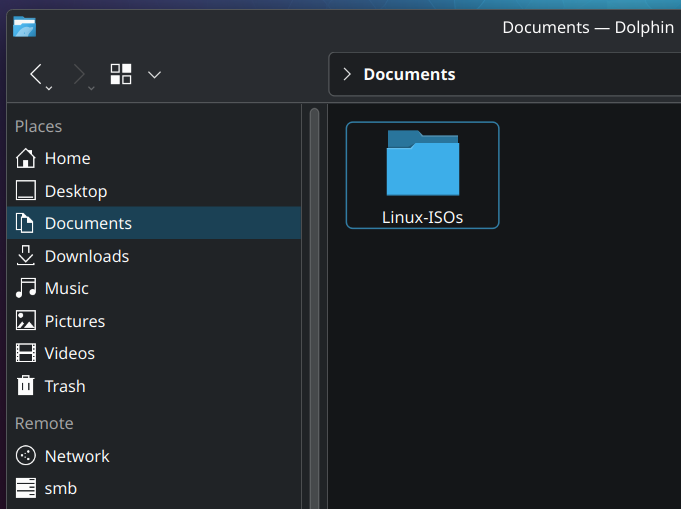
So it begins.
I’ve been flashing my USB often enough that it’s now worth it to keep all my ISO’s neatly to use them when I need them. I plan on buying 10 USB sticks to just have ready when ever I need a specific version.
I’m visiting family now, so time to upgrade their Linux Mint to Kubuntu
- you need Ventoy to stop formatting you’re USB sticks
- Keeping lot of ISO is a bit useless just the few that you use daily.
- If you’re keeping this ISO anyway, get them by torrent and keep sharing for helping the community
Another important point 4. Always check checksums (sha256 etc)
deleted by creator
First you need to download the provided file from the distro page. Something with Checksum in the name most of the time. The website should provide instructions. Please note that does not validate the gpg key.
Quick Method Terminal: Open the terminal at the location of the ISO file or go there with
cd. Typesha256sum NameOfIsoFile.iso- it takes a moment depending on your system. Copy the output (some long numbers/letters). Compare it with the downloaded checksum-file - open the file, press ctrl-f or whatever you have for find and paste it. If it’s found, it’s the same.Method KDE: Right click the file, open properties, then go to tab “Checksums”. Paste same number/letter combination from above into the provided space “Expected checksums…” - if it’s green, it’s correct.
Just use the appropriate command for the hash type, i.e.
sha256sum <filename>(iirc, might be wrong,manis your friend)
Your family will hate you if you’ll change their distro and DE every time you visit them. Distro hopping is normal for the first couple of years, but do it on your own machine.
Don’t “upgrade” to Kubuntu. I’m on it and want to upgrade away because Ubuntu. Fedora Kinoite is probably the best bet if you want KDE for a tech novice.
KDE is really annoying though. Kate is a horrible text editor if you’re not a programmer, and Kwrite has weird default shortcuts without any preconfigured “Gnome/Windows style” available. The Dolphin File Explorer doesn’t allow you to sort and group by different things. And Kparted isn’t as easy to use as Gnome Disk Utility. Still, I like how KDE had better themes than Cinnamon and how it actually lets me move programs to different categories in the start menu.
https://media.ccc.de/v/5012-the-first-encrypted-steam-deck-runs-opensuse#t=0
OpenSUSE is better than Fedora
I tried OpenSUSE and I ran into various issues installing software. Plus the immutable variant of OpenSUSE is an external project IIRC.
Yep, suse is cool, the default firewall config is way more restricted (safer but annoying at times). Dbeaver can’t install some essential depends for some reason and shotcut is missing some features (I could try fixing it but for now I just use appimages). It is way more stable than fedora or arch, even if I sometimes forget to upgrade it for months.
OpenSUSE seems to not accept donations from ordinary users, which suggests their target is more the server side. I think a daily driver distro should probably be a daily driver distro and not a server distro.